VayaPin Checkout Autofill for WooCommerce
Stop losing sales at checkout. Stop losing money on failed deliveries.
41% of customers abandon their cart when address entry is difficult. 39% of deliveries fail due to inaccurate addresses. VayaPin Checkout Autofill addresses both with one integration: the customer enters a short code (for example MARIA86) → name, address, GPS coordinates, and delivery context flow into checkout via the VayaPin API.
| Requires WordPress | 6.0+ (tested up to 6.7) |
| WooCommerce | 3.0+ (tested up to 9.x) |
| Requires PHP | 7.4+ |
| Stable tag | 2.1.0 |
| License | GPLv2 or later |
What VayaPin is
VayaPin is a GPS-precision digital address system — a unique, human-readable code that maps to an exact physical location, including GPS coordinates, entrance photos, and custom delivery instructions. Your customer enters their code at checkout; fields autofill in seconds.
How it works
- Install the plugin — Add the VayaPin field to WooCommerce checkout. Works with standard checkout and WooCommerce Blocks. Configure the API token, labels, and styling in minutes.
- Customer checks out — Has a VayaPin? Enters the code → the form autofills → faster completion. No VayaPin? They complete checkout normally and can opt in to Create my VayaPin → receive a code by email → reuse it on any VayaPin-enabled store.
- Delivery — Orders include GPS coordinates, driver instructions, and entrance photos where the API and profile provide them. Generate a QR delivery sticker for your shipping partner.
- Your store grows — Customers who create a VayaPin through your checkout can associate your store as a Favourite Pin, keeping your brand visible for repeat purchases.
Admin layout at a glance
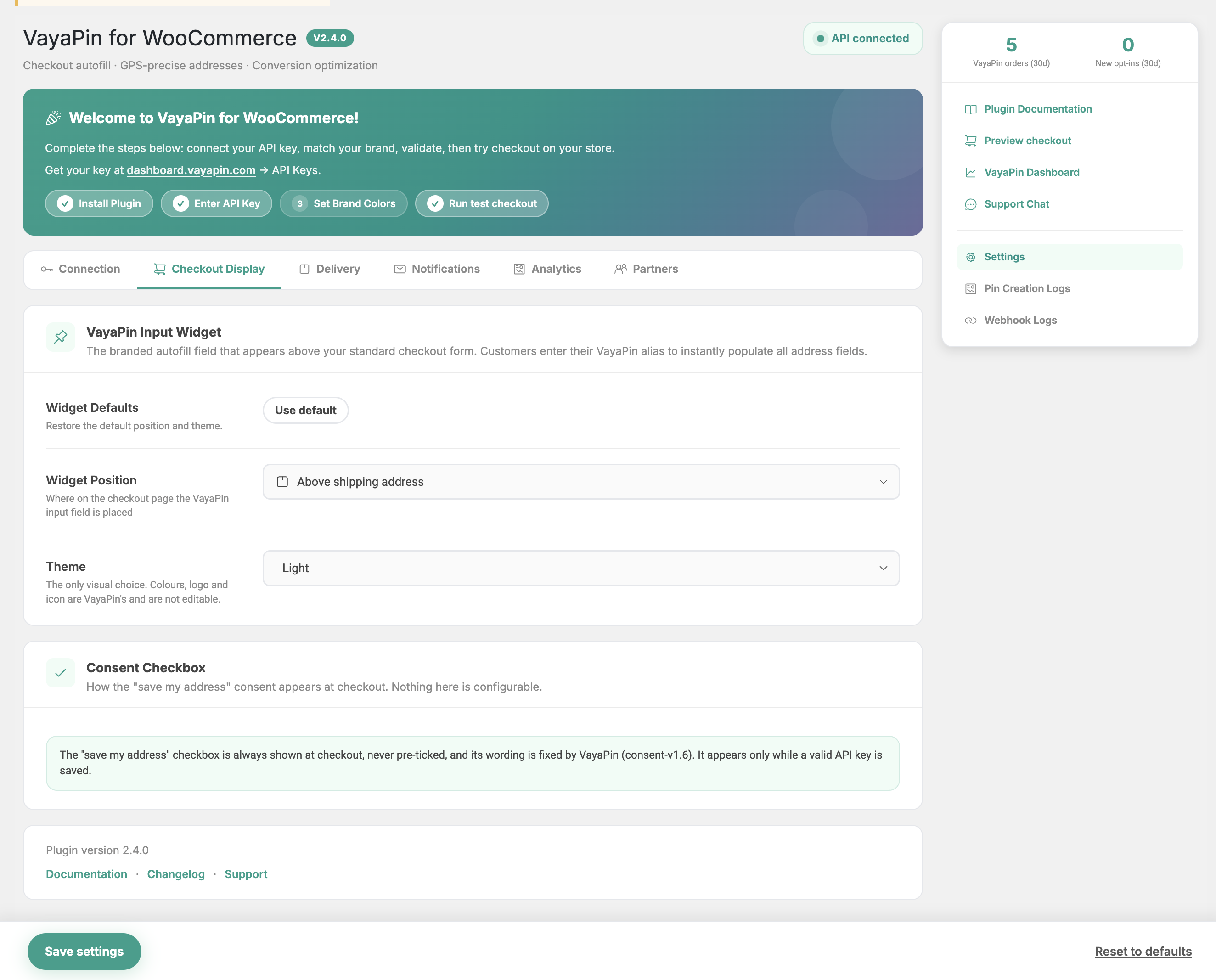
The plugin lives in its own top-level Vayapin menu in the WordPress sidebar (it does not sit under WooCommerce). The main Settings page is organised into five tabs, with two supporting log pages as separate menu entries.
| Section | Path | What it does |
|---|---|---|
| Connection | Tab 1 | API key, environment, connection health |
| Checkout Display | Tab 2 | Widget position and theme; how the consent checkbox behaves |
| Delivery | Tab 3 | QR sticker, sizes, packing slip option |
| Notifications | Tab 4 | Webhook URL, secret, events, last delivery status |
| Analytics | Tab 5 | Conversion stats, weekly report, data export |
| Pin Creation History | Vayapin menu → sub-page | Per-event log of VayaPin checkout outcomes |
| Webhook Logs | Vayapin menu → sub-page | Inbound webhook delivery log |
Where to go next
- New install? Start with Installation, then jump straight to Connection.
- Just want a tour of every screen? Read the tab pages in order.
- Hitting a problem? See Troubleshooting.
- Looking up a term? See the Glossary.