Pin Creation History
Path: Vayapin → Pin Creation Logs (left sidebar)
Logs of created pins and checkout autofill usage.
The audit log of every VayaPin checkout event on your storefront. It's the first place to look when a customer reports "my code didn't work" or when you're investigating an unusual opt-in flow.
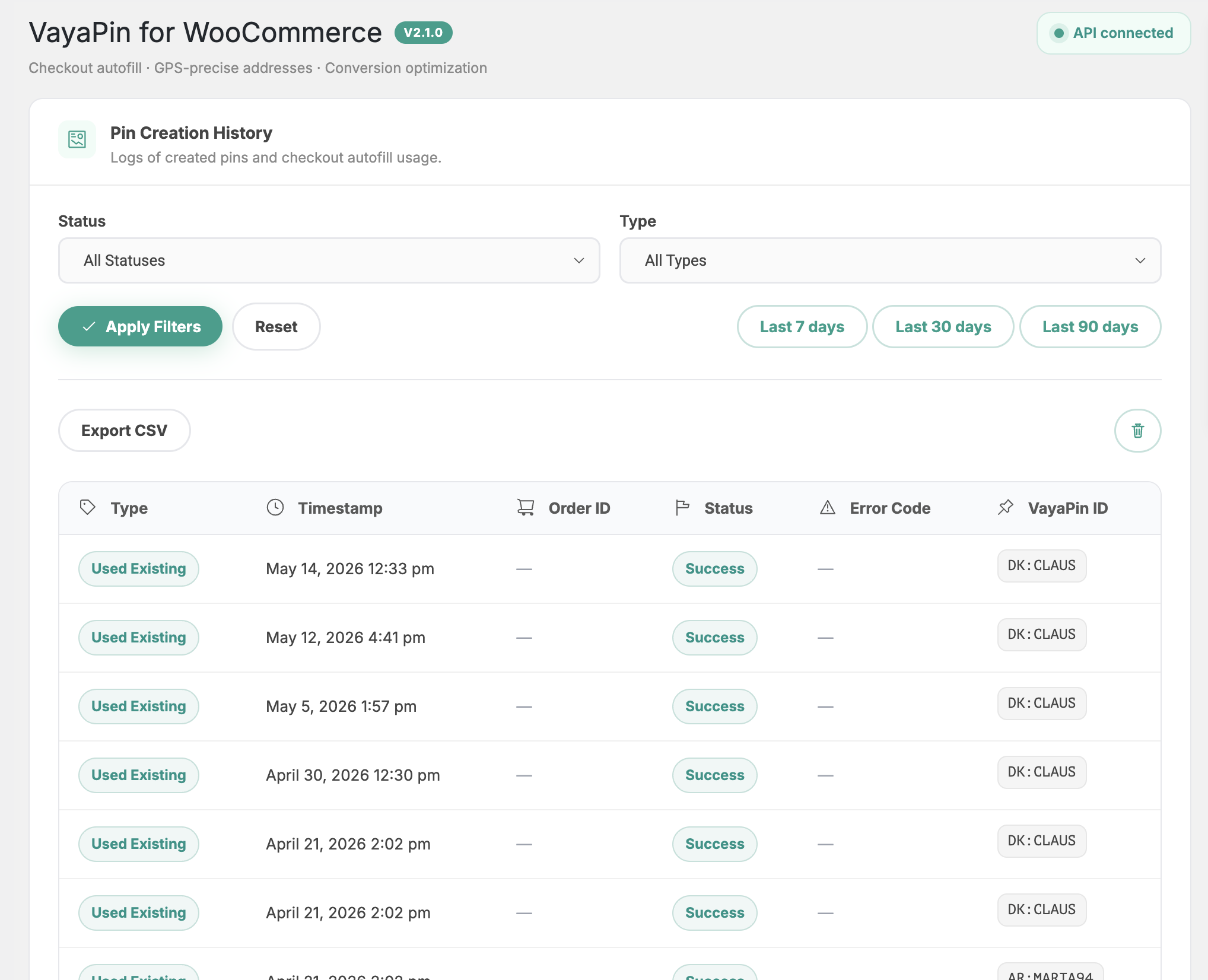
Columns
| Column | Meaning |
|---|---|
| Type | What happened — autofill usage, new pin created at checkout, etc. |
| Timestamp | When the event was recorded (your WP timezone). |
| Order ID | Linked WooCommerce order — click to open the order edit screen. Blank for events not tied to a finalised order. |
| Status | Outcome of the event (see below). |
| Error Code | Machine-readable code when Status = failed. Empty otherwise. |
| VayaPin ID | The internal VayaPin identifier resolved or created for this event. |
Status values
| Status | Meaning |
|---|---|
success | Autofill resolved and was applied to the checkout. |
create_new_pin | A new VayaPin was created from a ticked consent checkbox at checkout. |
failed | The lookup or creation failed — see Error Code for the reason. |
pending | The event is in-flight (rare; usually a transient API timeout). |
Filters
Top of the page:
- Status — filter to one of the values above (or all).
- Type — narrow to a single event type.
- Date range — preset chips and custom range picker.

Order ID column behaviour
The Order ID cell is a direct link to the corresponding WooCommerce order edit screen. There's no separate "View Order" row action — just click the ID.
Clear all logs
A Clear all logs action in the page header opens a confirmation modal:
"This will permanently delete all Pin Creation History entries. This action cannot be undone."
There's no automatic retention — rows accumulate until you clear them manually or trim the database directly.
For long-term compliance retention, export periodically before clearing. The plugin doesn't archive cleared rows.